Loading...
iblai-account
Original:🇺🇸 English
Translated
Add account and organization settings page to your Next.js app
16installs
Sourceiblai/vibe
Added on
NPX Install
npx skill4agent add iblai/vibe iblai-accountTags
Translated version includes tags in frontmatterSKILL.md Content
View Translation Comparison →/iblai-account
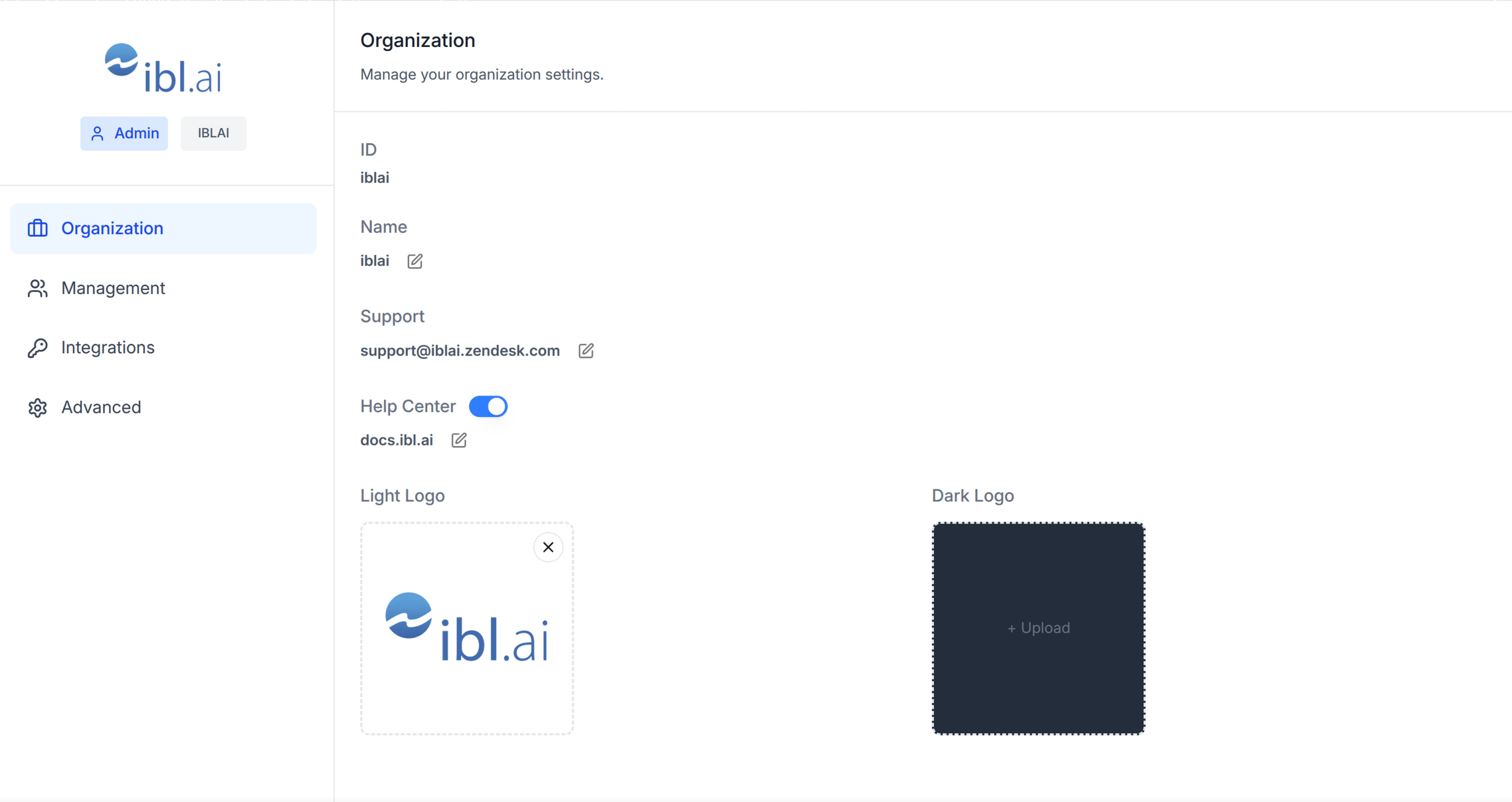
Add an account/organization settings page with tabs for Organization info,
User Management, Integrations, Advanced settings, and Billing.
AI Assistant: Do NOT add custom styles, colors, or CSS overrides to ibl.ai SDK components. They ship with their own styling. Keep the components as-is. Do NOT implement dark mode unless the user explicitly asks for it.When building custom UI around SDK components, use the ibl.ai brand:
- Primary:
, Gradient:#0058cclinear-gradient(135deg, #00b0ef, #0058cc)- Button:
bg-gradient-to-r from-[#2563EB] to-[#93C5FD] text-white- Font: System sans-serif stack, Style: shadcn/ui new-york variant
- Use shadcn components for custom UI -- they share the same Tailwind theme and render in ibl.ai brand colors automatically.
You MUST runbefore telling the user the work is ready./iblai-testAfter all work is complete, start a dev server () so the user can see the result at http://localhost:3000.pnpm devis NOT aiblai.envreplacement — it only holds the 3 shorthand variables (.env.local,DOMAIN,PLATFORM). Next.js still reads its runtime env vars fromTOKEN..env.localUseas the default package manager. Fall back topnpmif pnpm is not installed. The generated app should live in the current directory, not in a subdirectory.npm
Prerequisites
- Auth must be set up first ()
/iblai-auth - MCP and skills must be set up:
iblai add mcp
Step 0: Check for CLI Updates
Before running any command, ensure the CLI is
up to date. Run to check the current version, then
upgrade directly:
iblaiiblai --version- pip:
pip install --upgrade iblai-app-cli - npm:
npm install -g @iblai/cli@latest
This is safe to run even if already at the latest version.
Step 1: Check Environment
Before proceeding, check for a
in the project root. Look for , , and variables.
If the file does not exist or is missing these variables, tell the user:
"You need an with your platform configuration. Download the
template and fill in your values:
"
iblai.envPLATFORMDOMAINTOKENiblai.envcurl -o iblai.env https://raw.githubusercontent.com/iblai/vibe/refs/heads/main/iblai.envStep 2: Run the Generator
bash
iblai add accountWhat Was Generated
| File | Purpose |
|---|---|
| Account/organization settings page with tabs |
The page reads , /, and from
localStorage. Admin status is derived from the array.
userDatatenantcurrent_tenanttenantstenantsNote: Thecomponent usesAccountinternally -- it is imported fromnext/image.@iblai/iblai-js/web-containers/next
Step 3: Use MCP Tools for Customization
get_component_info("Account")<Account>
Props
<Account>Required
| Prop | Type | Description |
|---|---|---|
| | Tenant/org key |
| | Full list of user tenants from localStorage |
| | Username |
| | Called when "Invite user" is clicked |
| | Cancel/close callback |
| | Auth service URL |
| | Controls tab visibility -- most tabs require |
Optional
| Prop | Type | Description |
|---|---|---|
| | Initial tab: |
| | Base domain for custom domain settings |
| | Current app identifier (e.g., |
| | Stripe billing portal URL -- shows Billing tab |
| | Stripe top-up URL -- shows Billing tab |
| | Enable RBAC permission checks for Management |
| | Show tenant name badge in sidebar |
| | Use Gravatar when no org logo |
Tabs
| Tab | Requires |
|---|---|
| Organization | |
| Management | RBAC permissions |
| Integrations | |
| Advanced | |
| Billing | |
Step 4: Verify
Run before telling the user the work is ready:
/iblai-test- -- must pass with zero errors
pnpm build - -- vitest must pass
pnpm test - Start dev server and touch test:
bash
pnpm dev &
npx playwright screenshot http://localhost:3000/account /tmp/account.png
Important Notes
- Next.js required: Import from (uses
@iblai/iblai-js/web-containers/next)next/image - Redux store: Must include and
mentorReducermentorMiddleware - : 5 args (v1.2+)
initializeDataLayer() - : Deduplicated via webpack aliases in
@reduxjs/toolkitnext.config.ts - : Must be
currentPlatformBaseDomain— uses the config helper, not a raw env var. This is correct and intentional.{config.platformBaseDomain()} - Brand guidelines: BRAND.md